 FlaskConnect™
Home › Apparatus gallery › Writing reaction schemes
Reaction Scheme Examples (Reagents and Conditions, Multistep, Equilibrium)
Nitration, a Grignard reaction, an esterification equilibrium and a lithiation–carboxylation, each with reagents above the arrow and conditions below.
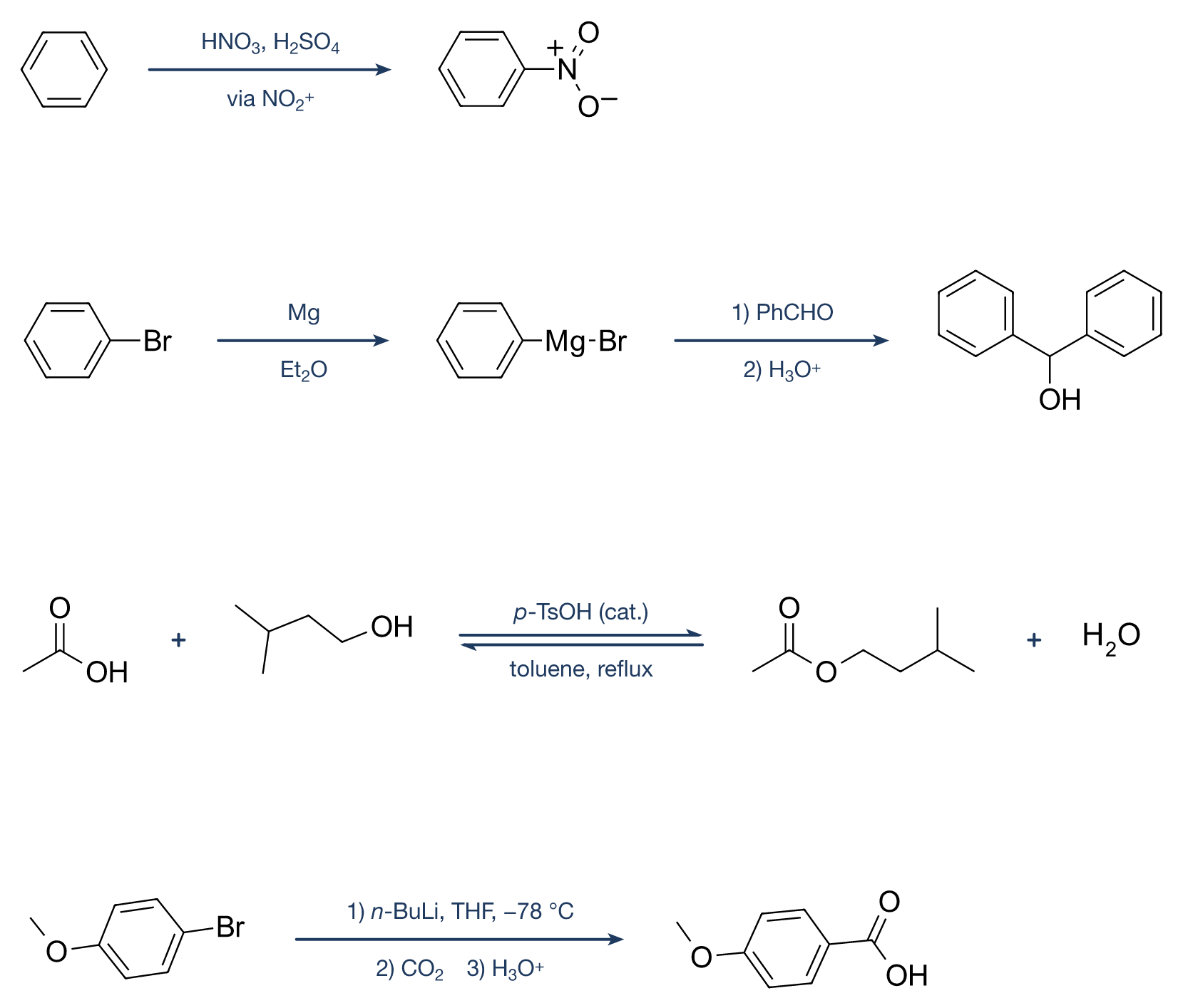
Free to use without attribution in lab reports, theses, teaching materials, slides, supporting information and on the web, including modified and commercial use. Released under CC0 1.0 (public domain dedication). A mention of “made with FlaskConnect” is appreciated but not required.
Features used in this figure
- Reaction arrows (→, ⇌) and plus signs
- Text above and below the arrow (double-click to type in place)
- Subscripts, superscripts and italics with buttons (H₂SO₄, H₃O⁺, n-BuLi)
- Structures from names or SMILES
How to draw it in FlaskConnect
- Call up the structures by name or SMILES and line them up.
- Draw a reaction arrow in the Structure tab; choose ⇌ for an equilibrium.
- Double-click above (reagents) and below (conditions) the arrow to type. Use x₂ for subscripts, x² for superscripts and I for italic prefixes such as n- and p-.
- Add plus signs.
Notation tips
- Reagents usually go above the arrow; solvent, temperature and other conditions go below.
- Number sequential operations 1) 2) 3) to distinguish them from reagents added together.
- Use ⇌ for an equilibrium, and mark substoichiometric reagents with (cat.).
- Italicize prefixes such as n- and p- (n-BuLi, p-TsOH).
Watch it built
Building this setup in FlaskConnect (with narration).
Draw this in the app
This figure was drawn in FlaskConnect. Call up structures by name or SMILES, and add lone pairs, curved arrows and arrow text (subscripts and superscripts with buttons) in place. Drawing structures and schemes is Pro (US$3.99/month, first month free, or US$39.99 once); apparatus drawing and export are free.